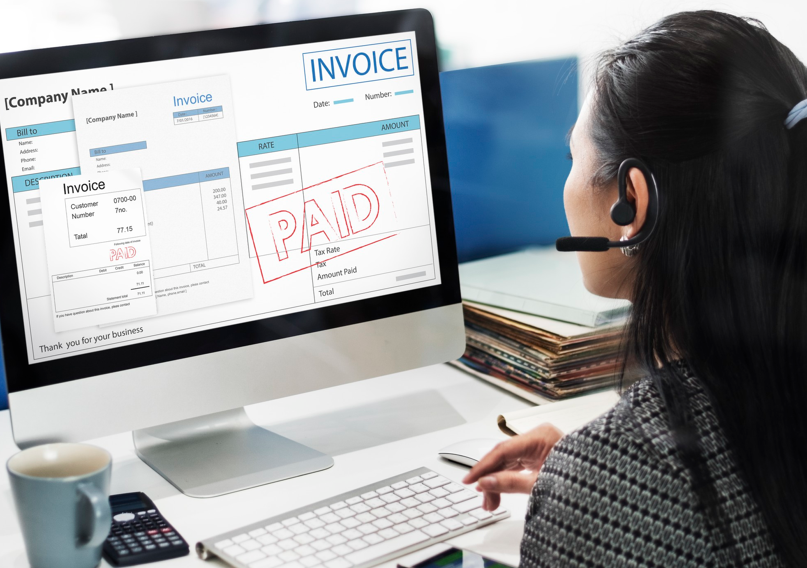
Effective invoice processing automation requires accounting software with adaptive data capture and pre-payment validation. The platform must also feature direct ledger sync, line-item PO matching, structured e-invoicing compliance, and clear audit trails.
Key Takeaways
- Adaptive Data Capture Saves Time: Intelligently extracts data across formats and learns layouts to eliminate rigid templates and manual edits.
- Validation & Sync Prevent Errors: Flags duplicates and tax errors before payment while writing data directly to the ledger without imports.
- Automated PO Matching Streamlines AP: Line-item checks automatically cross-reference invoices, POs, and receipts to stop duplicate billings.
- Native E-Invoicing Ensures Compliance: Handles structured, machine-readable formats natively to satisfy regulatory mandates and audit needs.
Manual invoice handling is slow, and it gets more expensive as volume grows. Studies of electronic invoicing rollouts have found that automation can reduce invoice processing costs by up to 66% compared with paper-based systems. That scale of savings is why more businesses now look for the best accounting software built around invoice automation from the start, not added on later.
Not every platform automates invoicing well. Some only scan documents. Others actually read, validate, and route them without manual input.
Here are the features that separate genuinely useful automated invoice processing software from tools that just look automated.
Accurate, Adaptive Data Capture
Basic scanning tools read text but don’t understand context. They also break the moment a vendor changes an invoice layout. Software worth adopting should read varied formats without constant reconfiguration and improve its own accuracy the more invoices it processes.
Look for a platform that:
- Handles PDFs, scanned paper, and structured digital invoices in one place
- Learns vendor-specific formatting over time instead of relying on fixed templates
- Reduces the manual correction needed after each batch
This is the feature that decides whether automation actually saves time, or just shifts the work from typing to reviewing.
Built-In Validation Before Payment
Capturing data correctly is only half the task. Regulatory guidance on electronic invoicing systems notes that standardised, automated formats come with validations and controls built into the exchange process itself, which significantly reduce errors and delays before an invoice is ever paid.
Good accounting software should:
- Flag duplicate invoices before they’re paid
- Catch tax or amount mismatches at the point of entry
- Send only genuine exceptions for manual review, instead of routing every invoice through a person
Direct, Real-Time Sync With the Books
An invoice captured correctly but sitting outside the ledger still creates work. The best automated invoice processing software for invoice automation writes extracted data straight into the general ledger and updates payables instantly, with no separate import step.
This is where most of the cost savings happens in practice. Industry commentary covered by regional business media has pointed to reductions of up to 80 percent in processing costs when structured, real-time invoice data replaces manual entry and PDFs. The fewer manual handoffs between capture and books, the lower the total cost per invoice.
Purchase Order and Delivery Matching
For any business that orders goods or services regularly, invoice automation needs to check bills against purchase orders and delivery records, not just read the invoice on its own. Useful matching features include:
- Automatic comparison of invoice, purchase order, and goods-received note
- Line-item level checks rather than only total amounts
- Automatic approval for invoices that match within a set threshold
This step alone removes one of the most repetitive parts of accounts payable while reducing duplicate or inflated payments.
Structured, Machine-Readable Formats
Regulators are increasingly moving away from accepting PDFs, scanned copies, and email attachments as valid invoices. Under newer electronic invoicing frameworks, only structured formats transmitted through approved channels qualify as compliant invoices, with unstructured files explicitly excluded. An automated invoice processing software should be able to generate, receive, and process invoices in these structured formats natively, rather than relying on a bolt-on converter.
This matters increasingly for businesses operating in jurisdictions where mandatory e-invoicing rules apply on a phased timeline, since a platform that can’t generate compliant formats out of the box creates last-minute compliance risk.
Clear Audit Trails
Every processed invoice should leave a timestamped record: who approved it, when, and under what rule. Coverage of recent finance-sector events reported that as electronic invoicing rules tighten, businesses are being pushed to strengthen governance frameworks and invest in technology-enabled finance functions rather than treat compliance as a one-time project. Software that can’t produce a clean audit history isn’t ready for that shift.
Look for:
- A full history of edits, approvals, and rejections per invoice
- Exportable logs for tax filing and external review
- Role-based access limiting who can approve payments
See also: ShareEcard vs Moo for Real Estate Agents: Digital Business Cards vs “Printfinity” Cards
In Summation
Not every business needs every feature above. A company with a handful of vendors may not need three-way matching. One operating under phased regulatory deadlines will need structured-format compliance and audit trails as a baseline requirement, not an extra.
The principle holds either way: the best accounting software treats invoice automation as a full workflow, from capture to validation to books to audit trail, rather than a single scanning feature bolted onto an existing system. Before choosing a platform, map invoice volume, vendor complexity, and compliance needs against this list. The right fit becomes clear once features are matched to how invoices actually move through the business, not to a features page.
Ready to Streamline Your Accounts Payable Workflow?
Choosing the best accounting software means matching automation features to your invoice volume, vendor complexity, and compliance needs. Map your accounts payable lifecycle today to lower costs, eliminate errors, and scale your financial operations.