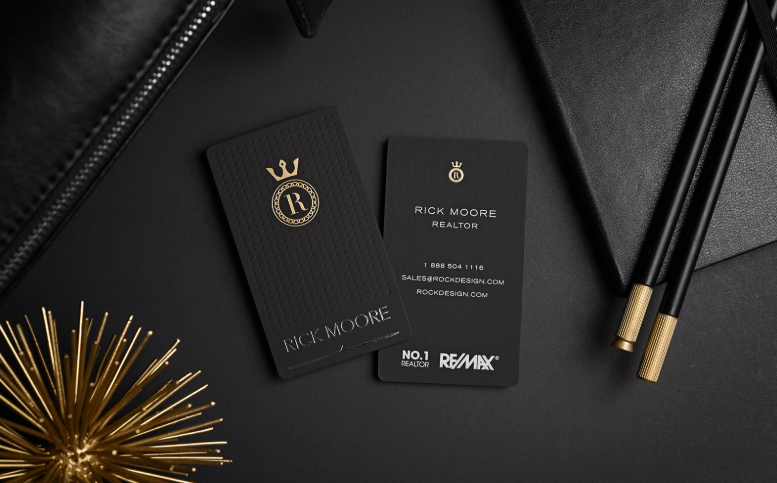
If you’ve spent any time researching business cards for real estate agents, you’ve probably come across Moo. The brand built a loyal following on the strength of its print quality, and its signature feature, Printfinity, lets agents put a different photo on the back of every single card in a pack. One card might show a lakefront listing, the next a downtown condo, the next your latest sold sign.
It’s a clever idea. But it also raises a practical question that a lot of agents don’t think about until they’re standing at an open house with the wrong batch in their pocket: what happens when that listing sells?
The Problem With Printing Your Listings
Real estate moves fast. A property that’s active today might be under contract by the weekend. If your business card features that listing on the back, you’re now handing out cards that advertise a home someone can no longer buy. Multiply that across a pack of 500 cards with a dozen different listing photos, and you’ve got a stack of marketing material with a built-in expiration date.
Moo’s Printfinity is genuinely well-executed from a print production standpoint. The card stock is thick, the color reproduction is sharp, and for agents who want a physical card that doubles as a mini property flyer, it does the job it was designed to do. The limitation isn’t the print quality — it’s the format itself. A printed card is frozen the moment it comes off the press. Your listings, your headshot, your brokerage logo, none of it can update once it’s in someone’s wallet.
How a Digital Business Card Handles the Same Problem
This is the gap a digital business card for real estate agents is built to close. Instead of printing a different property on every card, you create one card that lives online and updates in real time. When a listing sells, you edit the card. When you switch brokerages, you edit the card. When you get new headshots taken because the old ones are five years and one hairstyle out of date, you edit the card.
Everyone who has ever received that card, whether it was six days or six months ago, sees the current version the next time they tap it or scan the QR code. There’s no reprint, no leftover stock to throw away, and no risk of a client calling about a property that already closed.
For agents specifically, this matters more than it might for other professions, because real estate inventory turns over constantly. A digital card can also do things a printed one physically cannot:
- Link directly to an active listing or a virtual tour instead of a static photo
- Include a “save contact” button so the prospect’s phone stores your info automatically, no manual typing
- Show your current MLS listings as a live feed rather than a snapshot from print day
- Track how many people actually viewed or saved your card, which no paper card can report back to you
Printfinity vs a Live Card: Side by Side
| Moo (Printfinity) | ShareEcard (Digital) | |
| Updates after printing | Not possible, reprint required | Instant, edit anytime |
| Cost per listing change | New print run | $0 |
| Contact saving | Manual entry by the recipient | One-tap save to phone |
| Listing links | Photo only | Clickable link to live listing or tour |
| Engagement tracking | None | Built in |
| Physical card needed | Yes | Optional, works via QR |
Neither approach is “wrong” exactly. If you love the tactile feel of handing someone a beautifully printed card, that instinct isn’t outdated. But the two aren’t mutually exclusive. Plenty of agents pair a simple, timeless printed card, logo, name, phone number, nothing that changes, with a digital card that carries all the details likely to shift: current listings, updated photos, new certifications, a fresh brokerage name after a move.
The Data Behind Digital Adoption
This isn’t just a convenience argument. QR-code and digital business cards have been shown to generate roughly 19% higher engagement compared to static printed cards, largely because the interaction is frictionless. A prospect doesn’t have to type a phone number into their contacts or search for your listing on Zillow later; they tap once and it’s saved. For an industry where the difference between a closed deal and a missed one often comes down to whether a client remembers to call you back, that gap is worth paying attention to.
See also: How Businesses Implement Sustainable IT Practices
Who Should Choose What
If most of your leads come from in-person events like open houses and community mixers, and you want something to physically hand over, a printed card still has a role. Moo’s Printfinity is a solid choice if photo variety per card matters to your brand.
If your listings change often, if you network heavily online or through referrals, or if you’re simply tired of throwing out boxes of outdated cards every time you change brokerages, a digital business card for real estate agents solves that friction directly. It’s also the more sustainable and cost-effective option over time, since one card replaces every future print run.
Making the Switch
Setting up a digital card takes less time than picking out card stock. You add your name, headshot, brokerage, current listings, and contact details, then share it by QR code, text link, or tap at your next showing. When your listings change next week, so does your card, automatically, for everyone who already has it.
If you’re weighing the two options, it’s worth trying a digital business card for real estate agents alongside whatever print cards you’re already using. You may find you don’t need to choose one over the other, but if you do, the flexibility tends to win out for agents whose business changes as fast as the market does.
FAQ
Does a digital business card replace my printed card completely?
Not necessarily. Many agents keep a simple printed card for in-person handoffs and use a digital card for everything that changes frequently, like listings and photos.
Can clients save my digital card without an app?
Yes. Most digital business cards work through a QR code scan or tap and add your contact directly to the recipient’s phone, no app required.
Is a digital card more expensive than ordering printed cards?
Typically it’s the opposite. One digital card can be updated indefinitely at no extra cost, while printed cards need a new order every time your listings or contact details change.